ZChat lets website visitors connect with your team in real time through a chat widget embedded on your website.
Because the platform is self-hosted, the full workflow runs in infrastructure you control, while agents work from the web dashboard or desktop console.
1. What visitors see on your website
The chat entry point can be embedded into your website and adapted to your brand. You control the wording, theme,
button treatment, and where the chat experience appears in the customer journey.
|
When agents are online and available for live conversations.
|
When agents are offline or not actively taking chats.
|

|

|
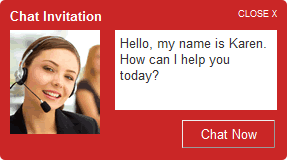
When your team is online, visitors can click into a live conversation or respond to a proactive invitation.
No download or browser plug-in is required for the visitor experience.
The pre-chat and live chat windows can be styled to match your website and shaped around the information you want to collect.


When your team is offline, visitors can still leave a message so the interaction is captured instead of lost.

2. What agents and administrators see
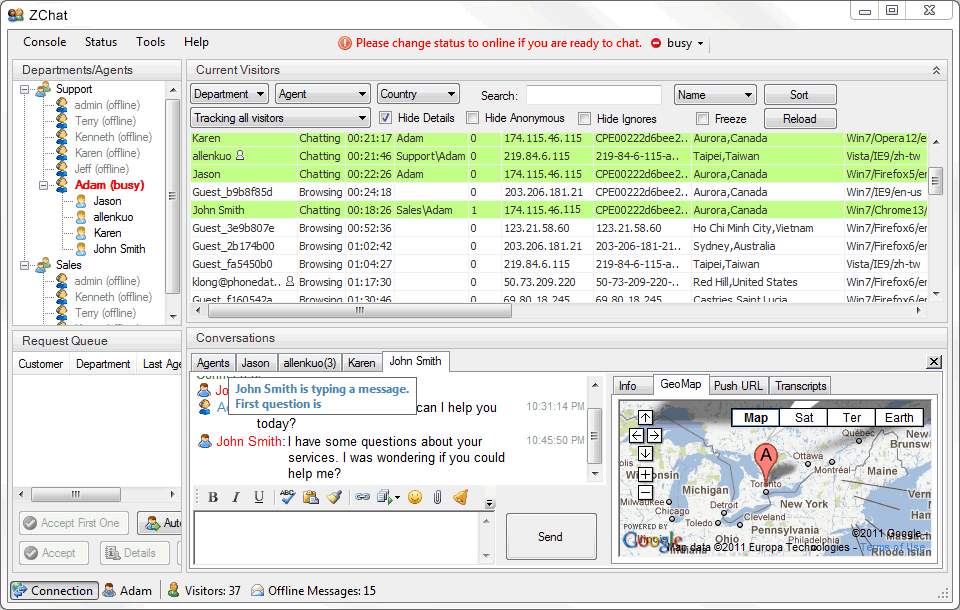
Agents sign in through the dashboard or desktop workflow and immediately gain access to active visitors, chat status, and team activity.

Once signed in, operators can monitor live traffic, review visitor context, and accept or route conversations in real time.
This is where self-hosted ownership becomes practical: the workflow feels modern, but the deployment still belongs to your organization.

3. What happens during a live conversation
Multiple simultaneous sessions One agent can handle multiple active chat sessions at once, with each session organized in its own working area.
Typing indicators and live context Both the visitor and the agent can see when the other side is typing, while agents keep access to visit details and chat history.
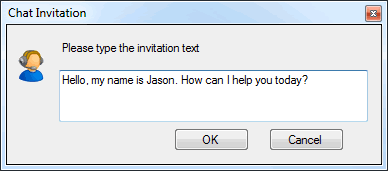
Proactive engagement and handoff Your team can invite visitors into chat, and if AI is enabled, ZChat can help qualify and draft before handing the conversation to a person.